 Yohaku
HOW-TO
How to
Your first space
Start with ten quiet minutes.
Yohaku is not a habit you have to perfect. Leave one space on the day you need it. Here is a gentle, screen-by-screen guide.
01
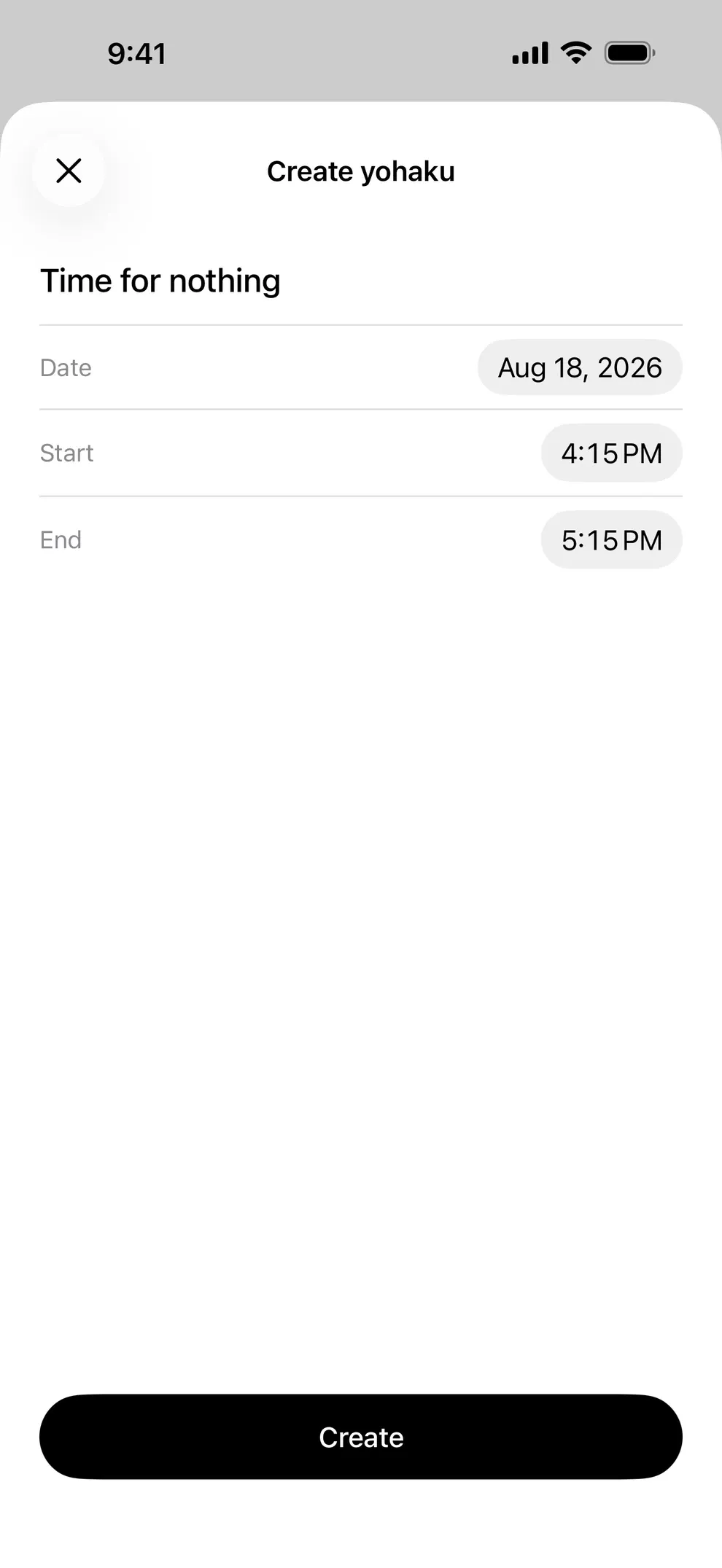
Leave one small space
Tap + at the bottom of Today. Give the space a name—tea, looking outside, doing nothing—then choose its date and times.
02
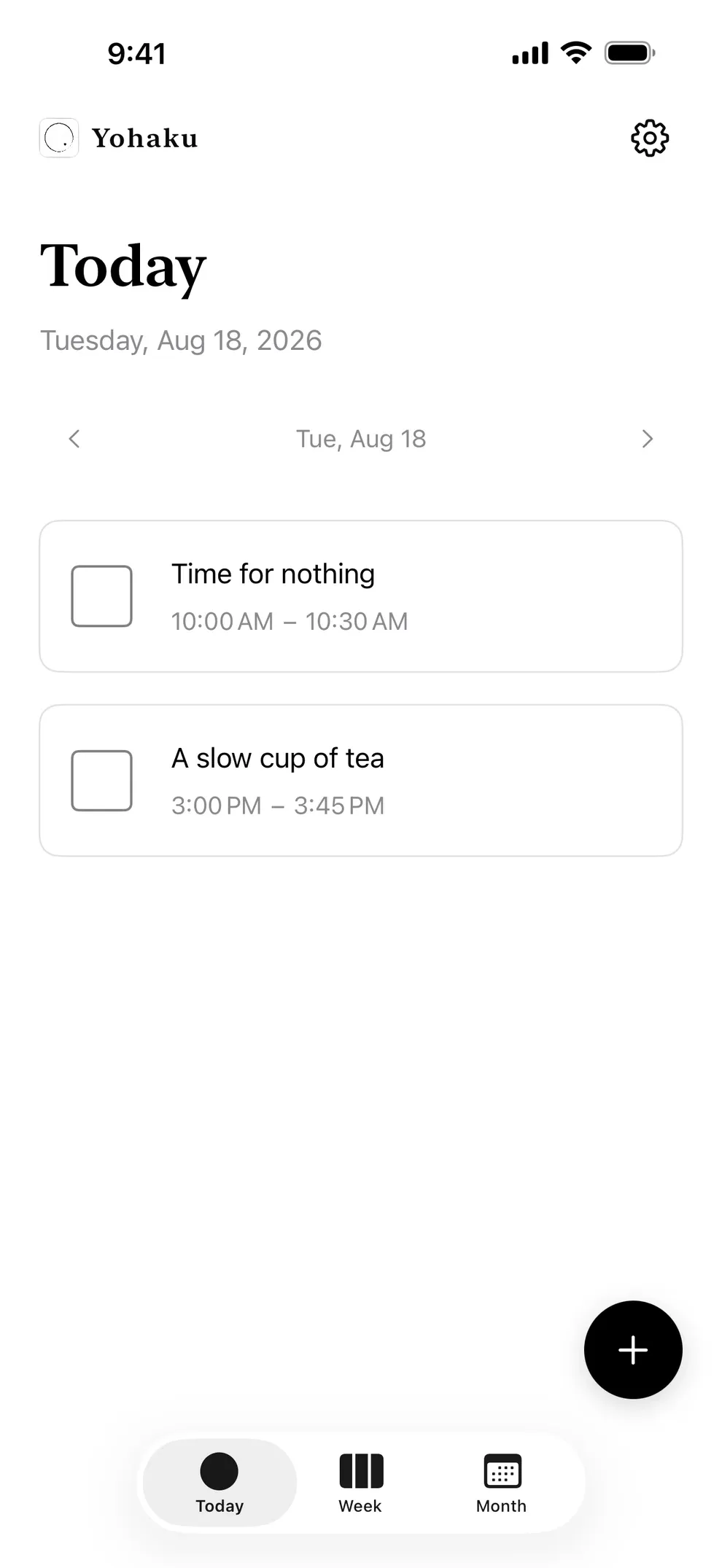
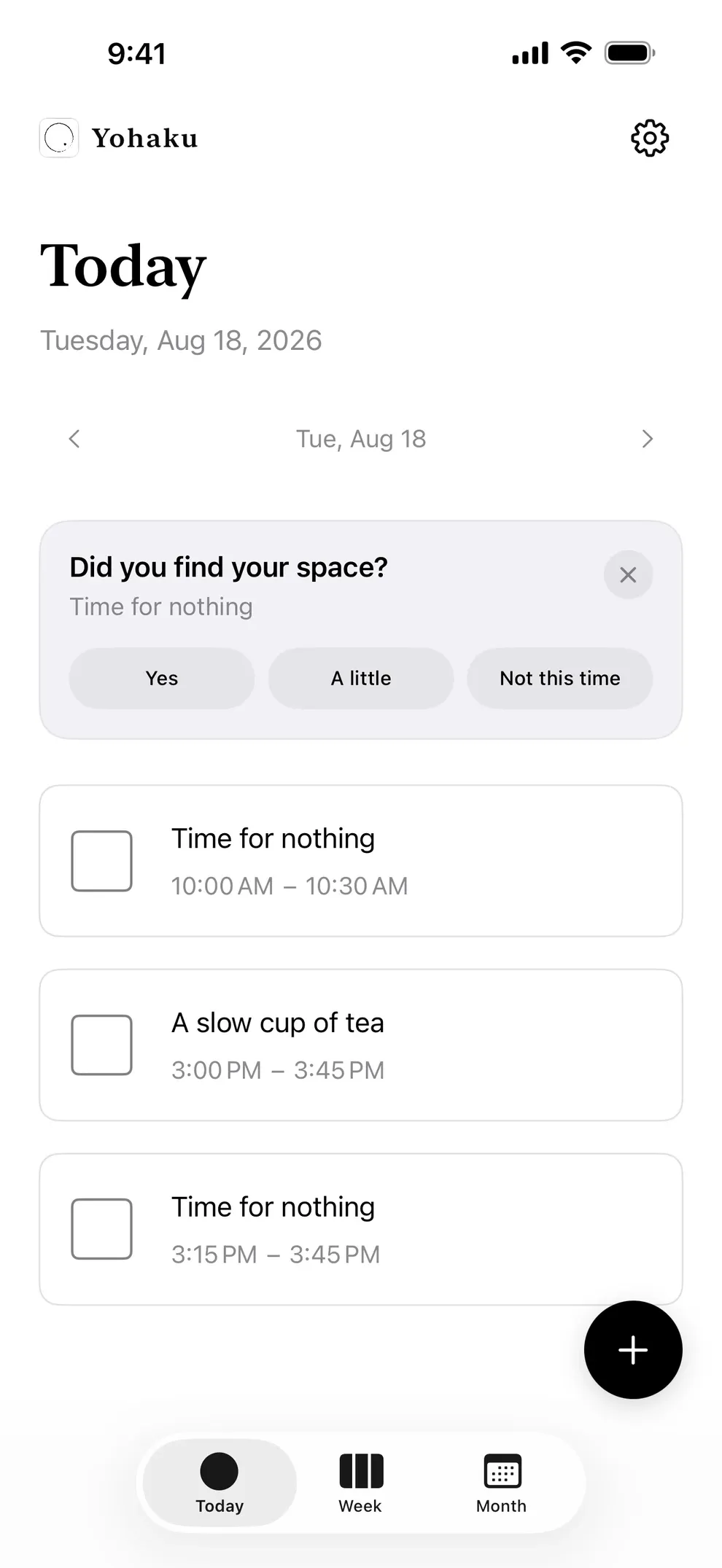
Find it quietly in Today
Your spaces appear as cards on Today. Swipe between dates, or tap a card whenever you need to change its name or times.
03
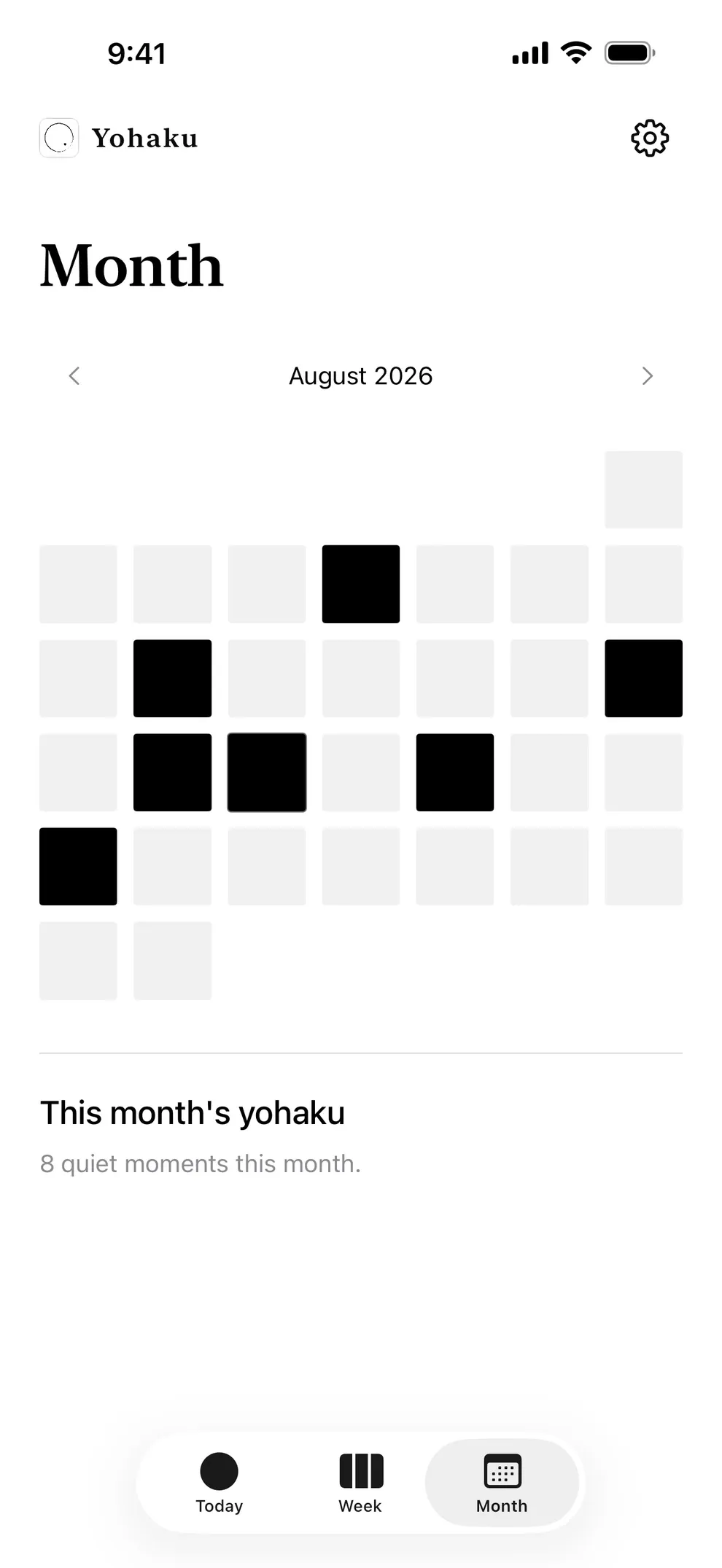
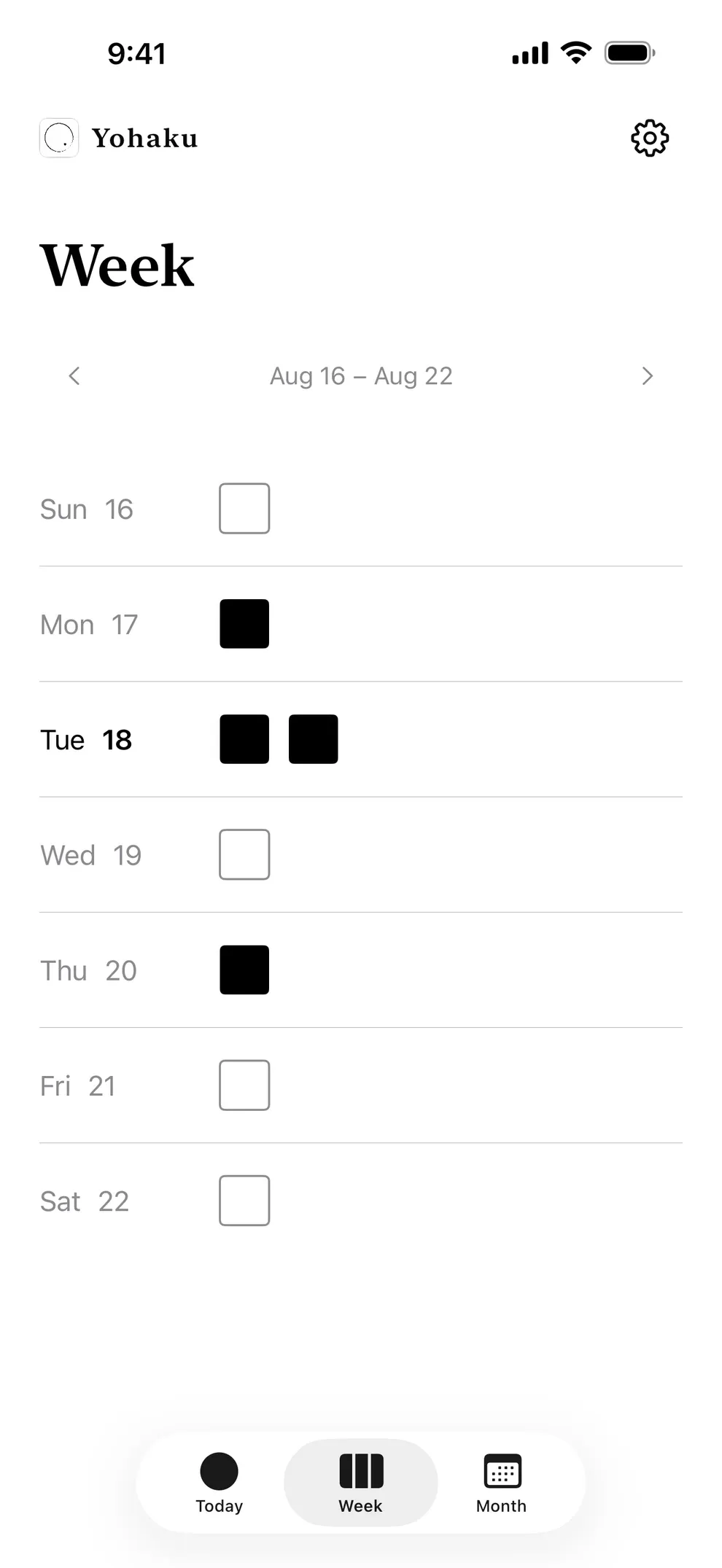
Look across Week and Month
Week uses small squares; Month marks each day that held a space. These views are for noticing your rhythm, not grading it.
04
A gentle reminder beforehand
With notifications enabled, Yohaku normally reminds you three to seven minutes before a space begins. Change this anytime in Settings.
05
One small check-in afterward
Next time you open the app, one small question may appear for your latest space. Answer, close, or swipe it away.
06
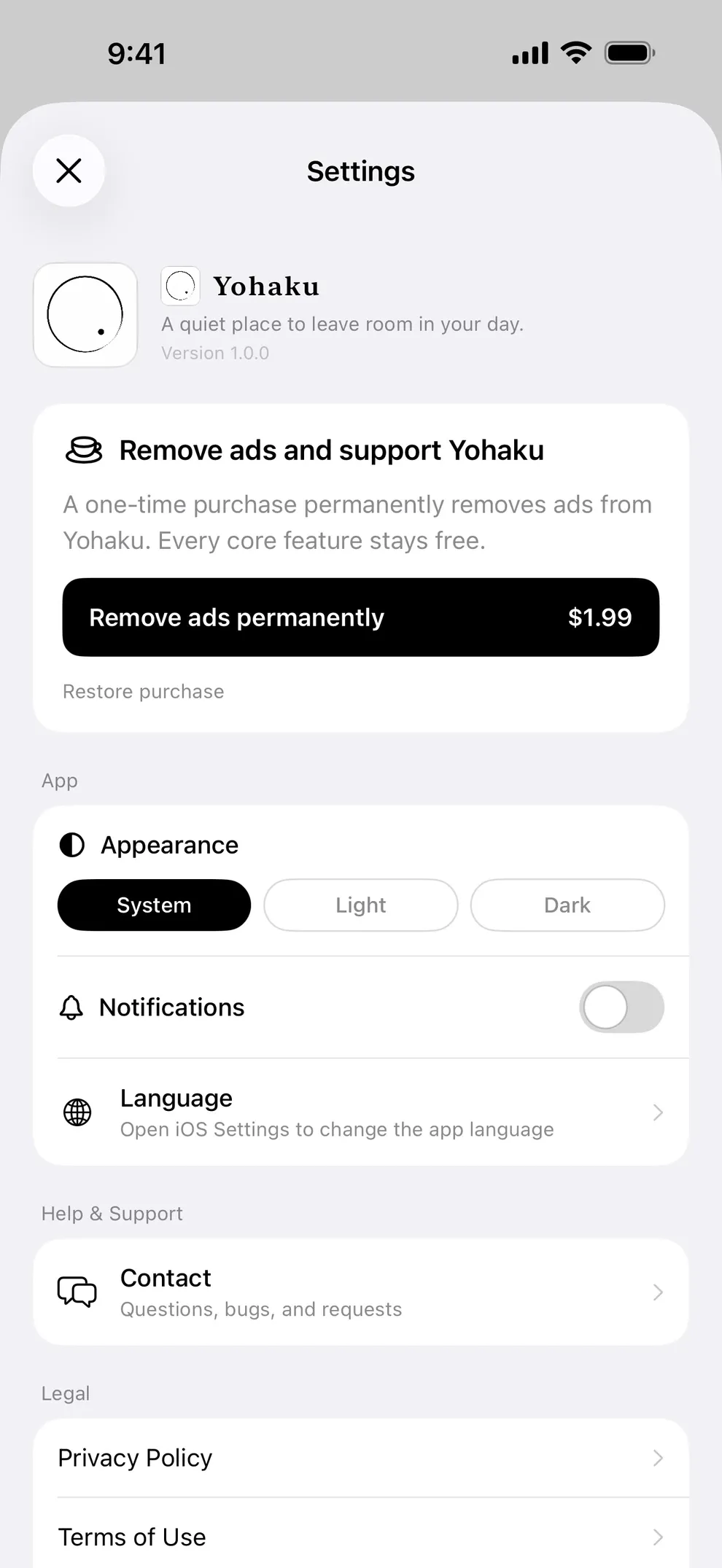
Make it feel at home
Choose system, light or dark appearance, manage notifications, and access ad removal or purchase restore from Settings.
You do not need to use it perfectly.
If anything still feels unclear, the FAQ is here to help.
Read the FAQ